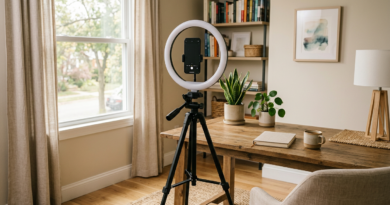

YouTube Shorts for Local Businesses
YouTube Shorts for local businesses put your work in front of nearby customers for the cost of a smartphone and a few minutes. Shorts can now run up to three minutes, so you can show a full before-and-after or answer a question in depth. This guide covers what to film, how to shoot it, how to tie it to your local presence and how to turn views into calls.
Key facts
- Length: Shorts can be up to 3 minutes for square or vertical videos uploaded on or after October 15, 2024, per YouTube Help
- Format: vertical or square
- Local angle: name the town, show the work and link to booking
- Cadence: two or three a week is enough to start
- Metric: calls, bookings and direction requests
Why Local Businesses Should Care
YouTube is owned by Google, and your videos can appear on your channel and in search while Shorts reach people in a swipe feed. For a local business, a short clip of your work builds trust faster than text. A plumber who shows how to shut off a main valve, a bakery that films a cake decorating, a trainer who demonstrates a stretch: each is a free ad for your skill. Compare with TikTok for business owners over 40 and use the same footage on both.
What the Rules Say About Length and Format
YouTube Help states that you can create Shorts up to three minutes long. Videos uploaded on or after October 15, 2024 with a square or vertical aspect ratio up to three minutes are categorized as Shorts on standard channels. Older videos stayed as they were. There is no required minimum, so a 20-second clip can be a Short. Keep the video vertical, frame the subject in the middle and keep text away from the screen edges so interface buttons do not cover it.
Ten Short Ideas for Local Businesses
- A 30-second before and after of your best job
- Answer one common customer question
- A tour of a day on the job
- Meet the team
- One mistake locals make and how to avoid it
- A quick tip for the season
- A myth versus fact
- A customer story with permission
- What this costs and why
- A walk through your process in three steps
Say the town or neighborhood in the video and the caption so viewers and search understand where you work.
How to Film a Good Short on Your Phone
Hold the phone vertically, clean the lens and shoot near a window or outside. Start with the result or the question in the first two seconds. Keep shots short, show hands and process and add captions using the app’s captions tool, since many people watch without sound. Speak clearly or use a clip-on microphone. Record several clips in one batch; see turning one video into ten social posts to get more from each shoot.
Upload, Title and Describe for Local Search
Upload from the YouTube app or from a computer. Write a plain title that says what the video shows and where, for example How to Fix a Leaking Tap | Austin Plumber Tips. In the description, add your service area, phone number and a link to your booking page or website. Add the Shorts-related tags or hashtags sparingly. Pin a comment with the next step: Call us or book online. Link your channel to your Google Business Profile and website where possible, as part of your local presence; see local SEO tips to show up in Google Maps.
Turn Views Into Customers
Views alone do not pay bills. Put your phone number and a short call to action at the end of each video, and in the pinned comment. Use the link in your channel description and the Shorts link features that YouTube offers. Reply to every comment and question, since those are warm leads. Track calls and bookings by asking new customers how they heard of you. If a Short performs well, make a follow-up on the same topic.
Be Safe and Honest
Get permission before filming customers or their homes. Use music from the YouTube Audio Library or licensed sources to avoid copyright claims. If you receive free products or payment for a promotion, disclose it clearly. Keep claims accurate, especially around prices, licenses and guarantees. Review your results monthly and drop formats that do not bring calls. Plan two or three Shorts a week and keep going for ninety days before judging.
A First-Week Plan for Shorts
Day one: write a list of ten questions customers ask. Day two: film three answers in one session. Day three: edit and caption them. Day four: post the first one with the town name in the caption. Day five: reply to every comment. Day six: post the second. Day seven: review views and any calls. Repeat the cycle with the next batch. A repeatable weekly rhythm matters more than any single clip.
Mistakes That Hold Shorts Back
Common errors include starting with a long intro, filming horizontally, hiding text under the interface buttons, posting once and disappearing, forgetting to name the town, and ending without a call to action. Another is copying trending content that has nothing to do with your service. Review your last five Shorts and ask: did it show real work, say where we are and tell people what to do next? Fix the one thing that is missing and try again.
Key Takeaways
- Shorts can be up to three minutes in vertical or square format.
- Show real work, name your town and end with a clear next step.
- Optimize title, description and pinned comment.
- Track calls, bookings and direction requests.
- Get permission and use licensed music.
Frequently Asked Questions
How long can a YouTube Short be?
Up to three minutes for square or vertical videos uploaded on or after October 15, 2024, according to YouTube Help.
How often should I post Shorts?
Two or three a week is a realistic start.
Do I need to be on camera?
No. Hands, work and captions can carry a Short.
How do I get calls from Shorts?
Add your number and booking link in the description, pinned comment and end of the video.
Sources
- YouTube Help: Understand three-minute YouTube Shorts
- Google Business Profile Help: Tips to improve your local ranking
QastMe does not endorse any company. Information is for education only and is not financial or legal advice. Earnings in direct selling vary widely, and most participants earn little or no money. Review each company’s income disclosure statement before deciding.
Stay ahead of the industry. Get the latest network marketing news, company reviews, and lead-generation guides at QastMe.org.
Want customers to find you on Google and in AI search? Chris Cartmill’s Geo SEO services help independent and local businesses rank in “near me” and AI answers. Learn more at chrismcartmill.com.
Free: The 2026 Network Marketing Lead Playbook
30 ethical lead sources, a 7-day action plan, and the compliance rules that keep your business safe.
Want leads now? See QastMe lead options.