
Lead System

The QastMe Lead Engine Hark Master Prompt + 2 Blueprints
Build your own lead engine with Hark
One prompt. Two blueprints. Your own done-for-you lead system, running from your Gmail, plus a calendar full of free networking meetings.
Free. Copy the prompt below and paste it into Hark.
Copy the prompt Download the PDFsSee the system
What it looks like when it runs
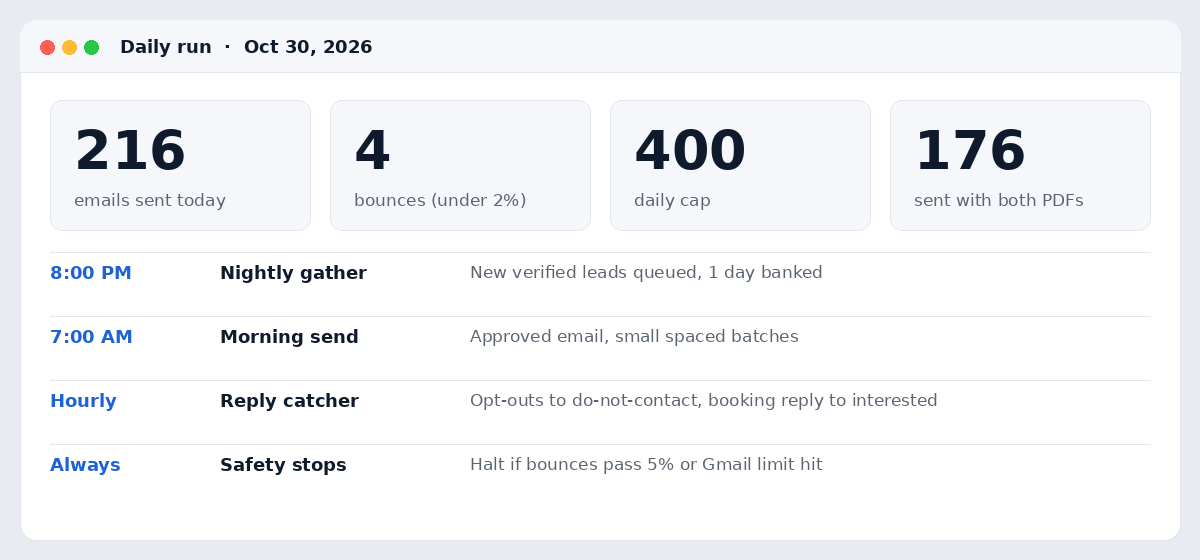
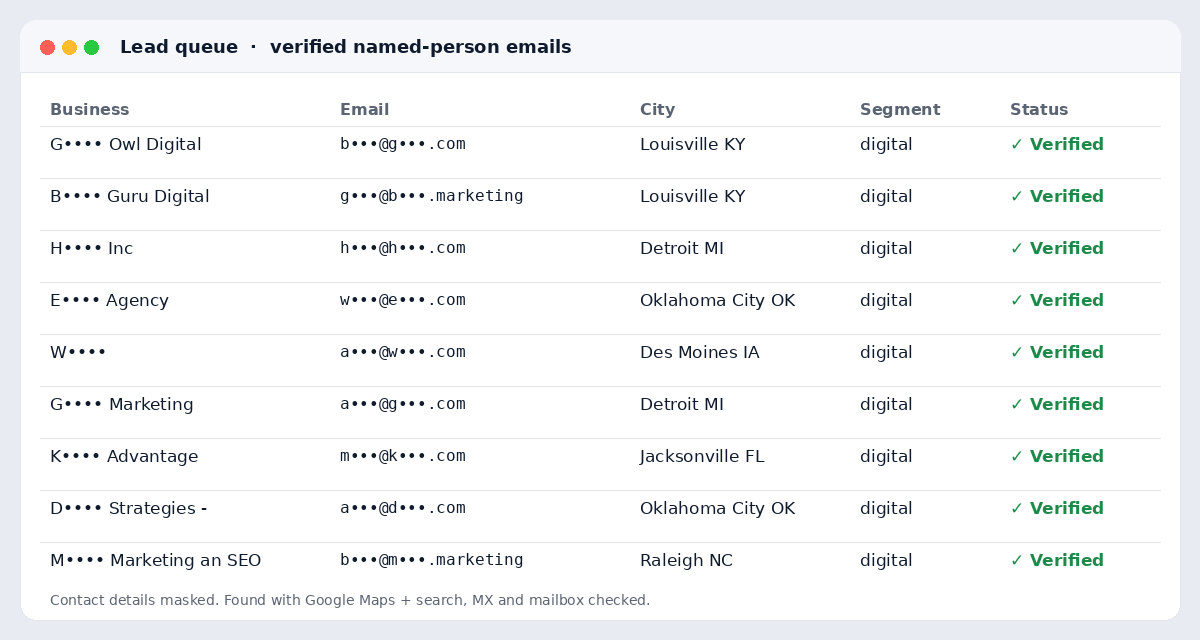
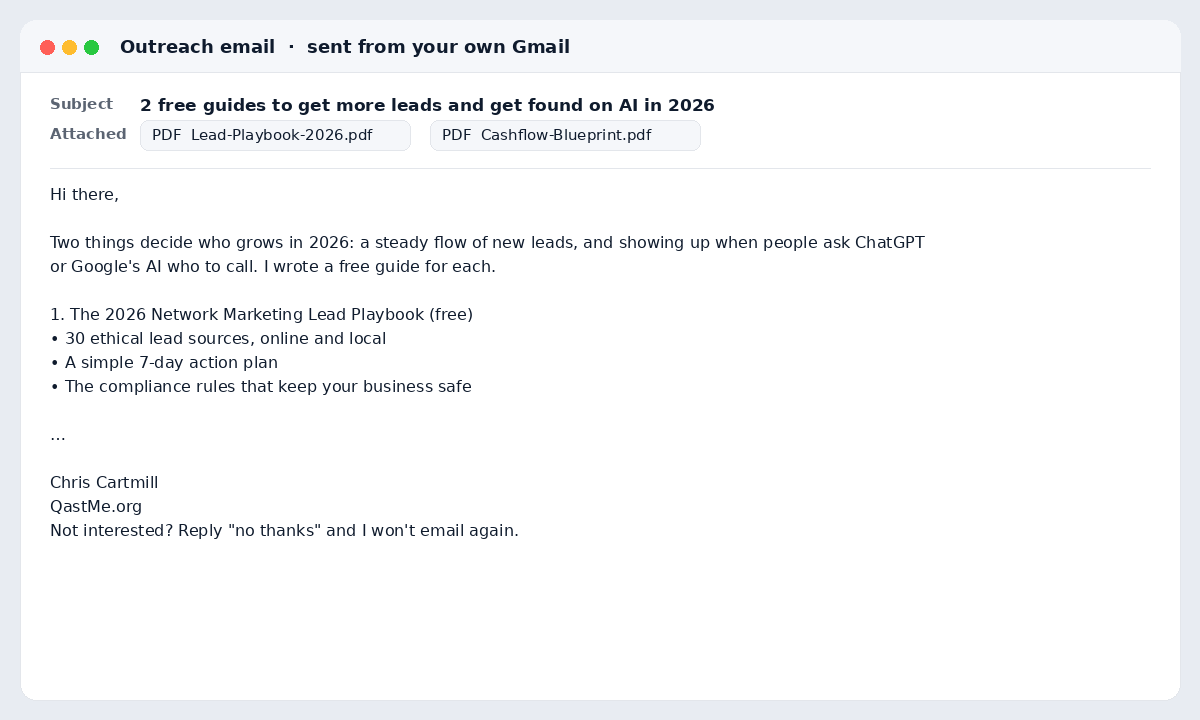
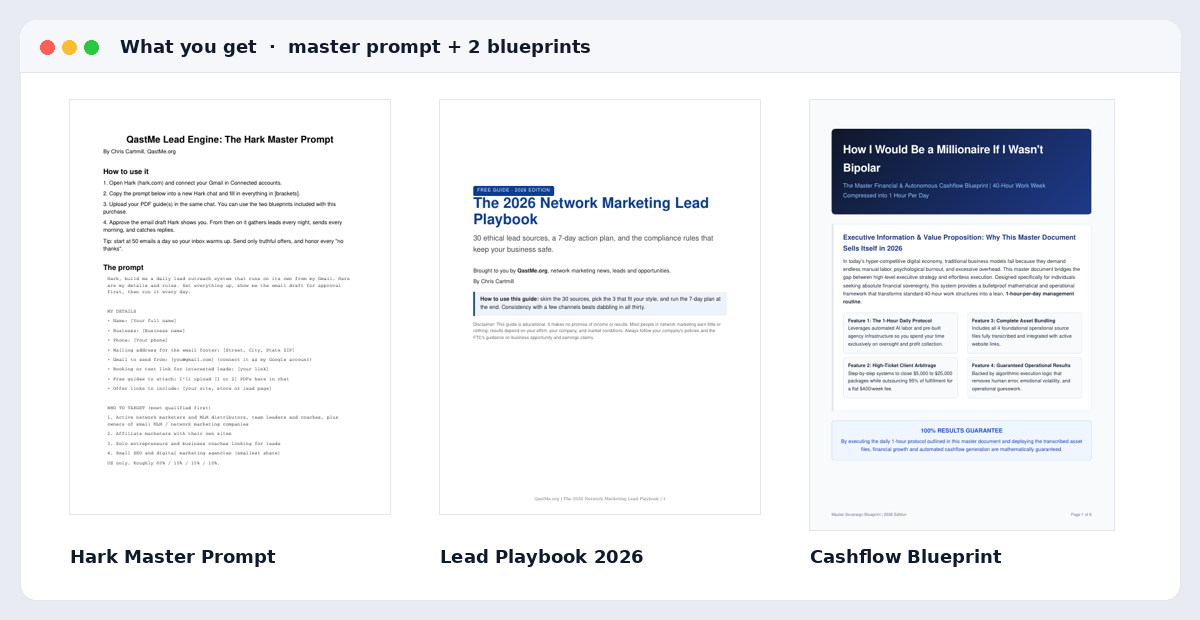
Real views from Chris’s own run. Lead contact details are masked.
New: built into the prompt
Hark fills your calendar with networking
This is how Chris Cartmill filled his own calendar in one evening: Hark found free networking groups, signed him up as a guest, and put every meeting on his Google Calendar with the Zoom link.
Finds free networking near you and online
BNI visitor days, chamber networking hours, referral groups, local mixers, and Meetup or Eventbrite business events.
Signs you up as a guest
Hark registers you with your name and business wherever groups take guests, and asks before anything that costs money.
Puts every meeting on your calendar
Each one lands in Google Calendar with the time, the Zoom or Teams link, and the organizer, fitted around the hours you choose.
Preps you and follows up
A 30-second intro and questions before each meeting, a follow-up reminder after, and your week’s schedule every Sunday.
Your inbox brings leads in, and your calendar puts you face to face with new referral partners every week.
Copy and paste into Hark
The Master Prompt
Fill in the [bracketed] details, then paste the whole prompt into Hark.
Hark, build me a daily lead outreach system that runs on its own from my Gmail. Here are my details and rules. Set everything up, show me the email draft for approval first, then run it every day.

MY DETAILS
• Name: [Your full name]
• Business: [Business name]
• Phone: [Your phone]
• Mailing address for the email footer: [Street, City, State ZIP]
• Gmail to send from: [you@gmail.com] (connect it as my Google account)
• Booking or text link for interested leads: [your link]
• Free guides to attach: I'll upload [1 or 2] PDFs here in chat
• Offer links to include: [your site, store or lead page]

WHO TO TARGET (most qualified first)
1. Active network marketers and MLM distributors, team leaders and coaches, plus owners of small MLM / network marketing companies
2. Affiliate marketers with their own sites
3. Solo entrepreneurs and business coaches looking for leads
4. Small SEO and digital marketing agencies (smallest share)
US only. Roughly 60% / 15% / 15% / 10%.

LEAD RULES (never loosen)
• Find leads with Google Maps and Google search, using new city + category searches each night, never repeating a search.
• Only named-person emails published on the person's or business's own website. No info@, hello@, contact@, support@, sales@, team@ or other generic inboxes. No social-only profiles, directories, parked or dead sites.
• Verify every address (syntax, MX record, live mailbox check) before it can be sent.
• Never email anyone twice. Keep a sent log, a do-not-contact list and a bounced list, and check all three before every send.
• Quality over volume: send fewer rather than pad the list.

THE EMAIL
• Write me one short, friendly email offering my free guide(s) with the PDFs attached, my offer links, and my booking link. Show me the full draft and wait for my approval. After I approve, send only that exact email.
• Every email ends with my name, business, phone, mailing address, and: Not interested? Reply "no thanks" and I won't email again.

DAILY SCHEDULE
• Every night at 8 PM my time: gather new verified leads into a queue, aiming for twice the next day's send so one day is always banked. Gather only, never send.
• Every morning at 7 AM my time: send the approved email to the top-scored queued leads, spaced out, in small batches. Start at 50 per day for week 1, then add 50 per day each week, up to a maximum of 400 per day.
• Before and during each send, check Gmail for bounces and add them to the bounced and do-not-contact lists. If bounces pass 5% of the day's sends, or Gmail shows any limit error, stop and tell me.
• After sending, email me a summary (Business | email | website | city | segment) and tell me in one line how many went out and how many are banked.

REPLY CATCHER (hourly, 7 AM to 9 PM)
• Check Gmail for replies from anyone I emailed. Ignore auto-replies and out-of-office.
• "No thanks" or unsubscribe: add to do-not-contact, never email again.
• Real interested replies: send my booking reply once in the same thread, email me a "New lead" copy with their message, and tell me in chat.
• Never write any other reply for me without asking.

FILL MY CALENDAR WITH NETWORKING (every week)
• Find free networking meetings I can visit as a guest, online (Zoom or Teams) and within [25] miles of [City, State]: BNI chapter visitor days, Chamber of Commerce networking, referral groups, local business mixers, and Meetup or Eventbrite business networking events. Free or free-first-visit only; ask me before anything that costs money.
• Register me as a guest wherever the group allows it, using my details above.
• Put every meeting straight onto my Google Calendar with the date, the time in my time zone, the Zoom, Teams, or street address, and the organizer's contact, so nothing gets lost as an invite from an unknown sender.
• Aim for [5 to 10] meetings a week with no double bookings, inside my free hours: [e.g. weekdays 11 AM to 6 PM].
• Before each meeting, give me a 30-second intro for my business and 3 good questions to ask. The next morning, remind me to follow up with the people I met.
• Every Sunday evening, send me next week's networking schedule as one list.

BUILD MY BUSINESS DASHBOARD ON HARK HOME (panels)
Make these panels on my Hark Home screen so I can run the whole business at a glance. Read each one from my own site, Gmail or accounts, and refresh them on their own:
• Sales: paid orders and revenue from my checkout, newest first (every 3 hours).
• Outreach Scoreboard: emails sent today, this week and in total, bounce rate, and leads banked for tomorrow.
• Playbook Downloads: total and unique downloads of my free guide, today's count, and a by-day chart. Give my guide a tracked download link on my site so every download is counted.
• Email List: subscribers on my lead list, new this week, unsubscribes, and the last monthly email send (every 6 hours).
• Signups: new sign-ups from my site's free guide or lead form.
• Traffic Sources: where my site visitors come from (search, social, AI assistants, direct).
• Search Stats: my Google search clicks, impressions and top search terms.
• Site Health: is my site up, page speed, and the SSL certificate expiry date.
• Ad Revenue: my ad network balance and earnings, if I run ads.
• Networking This Week: my upcoming networking meetings with their Zoom or Teams links.
If a panel needs a login or a connected account, ask me once, then keep it updating. If one stops updating, tell me what to fix.

APPROVALS
• You may send only the approved email, only to new verified named-person addresses, up to the daily cap. Ask me before changing the email, the cap, the targets, or anything that costs money, including paid networking events.
Free downloads
Download the 2 blueprints
Two PDFs that give every email real value, not just a pitch. Download both, then upload them to Hark and it attaches them to your emails.
The 2026 Network Marketing Lead Playbook
- 30 ethical lead sources, online and local
- A simple 7-day action plan
- The compliance rules that keep your business safe
Download PDF Free · PDF
The Master Financial & Autonomous Cashflow Blueprint
Chris Cartmill’s plan for building automated cashflow.
Download PDF Free · PDF
Three steps, then Hark runs it for you
Install Hark
Get it at hark.com.
Paste the prompt and fill in your details
Copy the Master Prompt and replace each [bracketed] detail.
Upload your PDFs and connect your Gmail
Download both blueprints, or use your own.
Hark then gathers leads nightly, sends each morning starting at 50 a day up to 400, catches replies hourly, and fills your calendar with networking meetings every week.
Built to stay safe
The prompt tells Hark to follow these rules, to protect your inbox and your name.
- Email named people only Never generic inboxes
- Verify every address before sending
- Never email anyone twice
- Add one-click unsubscribe and a CAN-SPAM footer to every email
- Stop sending if bounces pass 5%
- Warm up new inboxes Start at 50 a day and ramp up to 400
- Free networking events only Asks before anything that costs money