How to Market Your Business From Your Phone
Knowing how to market your business from your phone lets you use dead time, a quiet afternoon or a job site to attract customers. Modern phones can shoot video, edit, post, answer messages, take payments and track leads. This guide lays out the apps, settings and routines that make phone-only marketing practical, along with the limits of working on a small screen.
Key facts
- Core tasks: create, post, reply, follow up, track
- Time: 20 to 30 minutes a day is enough to start
- Setup: Google Business Profile, a social profile, a notes app and a calendar
- Quality: good light and clear sound matter more than gear
- Rules: get permission for photos of customers
What Your Phone Can Realistically Do
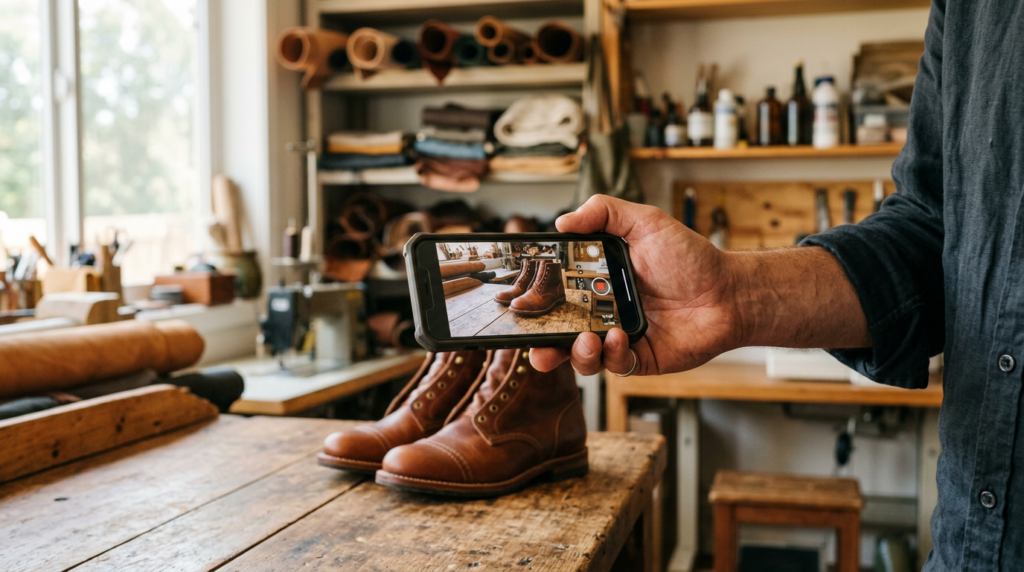
A current smartphone can handle most day-to-day marketing: shooting photos and short videos, editing them in built-in or free apps, posting to social platforms, replying to messages and reviews, updating your Google Business Profile, sending invoices and reminders, and keeping a lead list in a notes app or spreadsheet. What it handles less well is long-form writing, detailed analytics and website building, which are easier on a computer. Use the phone for the daily work and a laptop once a week for planning and reports.
If you are just starting, read our marketing on a shoestring: 15 ideas under $50 to choose what to spend on.
Set Up Your Phone as a Marketing Studio
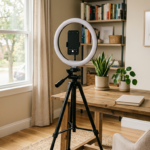
Clean the lens, turn on the gridlines in the camera settings and shoot in natural light near a window. Use a small tripod or lean the phone against something stable. A low-cost clip-on microphone improves video more than a better camera does. Create a folder in your photo app named Marketing, and keep a Notes file called Content ideas where you jot customer questions as they arrive.
- Camera: grid on, clean lens, vertical video for short formats
- Light: face a window, avoid overhead lights
- Sound: quiet room or a clip-on microphone
- Storage: delete duplicates weekly
Claim and Maintain Your Google Business Profile
For local businesses, the profile on Google is often more valuable than social media. Use the Google Maps or Business Profile app to verify your listing, add accurate hours, categories, services and photos, answer reviews and post updates. Google says local results are mainly based on relevance, distance and popularity, and that complete, accurate information helps. Our guide to local SEO tips for Google Maps goes deeper.
A 25-Minute Daily Routine
Minutes 1 to 5: reply to messages and comments. Minutes 6 to 15: record or photograph one piece of content, such as a before-and-after or a tip. Minutes 16 to 20: post it with a caption that ends in a question; see how to write social captions that start conversations. Minutes 21 to 25: message two people, such as a past customer, a referral partner or a lead. The consistency of this small routine beats an occasional big push.
Capture Leads and Follow Up From Your Phone
Keep a simple lead list in a spreadsheet app with name, contact, need, date and next step. Set phone reminders for follow-ups on the day you promise. Use saved replies or text snippets for common questions, and a booking link in your bio so people can schedule without back and forth. The method in follow-up systems translates directly. Make sure you have permission before texting marketing messages; follow the consent rules that apply where you operate.
Batch and Schedule to Save Time
Record three or four short videos in one sitting, then schedule them across the week using each platform’s built-in scheduling tools, where available. Batching reduces the daily effort to replying and reviewing. Reuse one idea in several forms: a video, a photo with a caption and a text post, as shown in turning one video into ten social posts.
Know the Limits and Stay Safe
Use two-step verification on every account, keep your phone updated and avoid public Wi-Fi for logins. Get written or recorded permission before posting a customer’s face, home or results. If you earn commissions or are sponsored, say so clearly. Back up your photos and notes weekly. When you outgrow the phone, add a laptop for a weekly review of what is working.
Free and Low-Cost Phone Tools Worth Trying
Your phone’s built-in camera and photo editor handle most needs. Free video editors let you trim clips and add captions. Free design apps provide templates for simple graphics. Calendar and booking links, a notes app for ideas and a spreadsheet app for leads round out the kit. Resist the temptation to download everything. Choose one tool for each job, learn it well and ignore the rest. The best marketing system is the one you actually use every day, and a simple phone setup beats a complicated one you abandon after a week.
Mobile Marketing Mistakes to Avoid
Posting blurry or poorly lit photos, forgetting to turn the phone horizontal or vertical to match the platform, replying to messages hours late, using auto-captions without checking them and posting customer photos without permission are common slips. Another is chasing every new app. Keep your routine small, check each post for typos and spelling, and look at your profile on a friend’s phone once a month to see what customers see. Quality and consistency beat quantity.
Key Takeaways
- Your phone can handle creating, posting, replying and tracking.
- Set it up with good light, sound and a content folder.
- Keep your Google Business Profile current.
- Use a short daily routine and batch content.
- Protect accounts and get permission for customer content.
Frequently Asked Questions
Can I run my entire marketing from my phone?
Daily tasks yes; longer writing, analytics and website work are easier on a computer.
What apps do I need?
The platform apps you use, the Google Business Profile app, a notes or spreadsheet app and a calendar.
How much time does it take?
About 20 to 30 minutes a day is enough to stay consistent.
Do I need a fancy camera?
No. Good light and clear sound matter more than the camera.
Sources
- Google Business Profile Help: Tips to improve your local ranking
- YouTube Help: Get started creating YouTube Shorts
QastMe does not endorse any company. Information is for education only and is not financial or legal advice. Earnings in direct selling vary widely, and most participants earn little or no money. Review each company’s income disclosure statement before deciding.
Stay ahead of the industry. Get the latest network marketing news, company reviews, and lead-generation guides at QastMe.org.
Free: The 2026 Network Marketing Lead Playbook
30 ethical lead sources, a 7-day action plan, and the compliance rules that keep your business safe.
Want leads now? See QastMe lead options.