Digital Business Cards vs Paper: What to Use Now
The choice of digital business cards vs paper is not either-or for most professionals in 2026. Digital cards, often shared by QR code or link, are easy to update and track. Paper cards are quick, tactile and still welcome at many in-person events. This guide compares them on cost, convenience, memorability and privacy, and gives a simple recommendation for small business owners, freelancers and independent sellers: use both, and make sure the follow-up matters more than the card.
Key facts
- Digital: shareable by QR code, link or tap; easy to update
- Paper: tangible, no battery, good for local and older audiences
- Best practice: carry a few paper cards and have a digital card ready
- Always: follow up within 48 hours, whatever the format
What Is a Digital Business Card
A digital business card is a web page or contact file that holds your name, role, phone, email, website and links, and can be shared via a QR code, a text message, a link or an app. Some services let you add a photo, a booking link and social profiles, and you can update details without reprinting. Many phones can also share a standard contact file. The format varies, so look for one that works without requiring the recipient to download an app. Check the provider’s terms and pricing before committing, as plans differ.
Where Digital Cards Shine
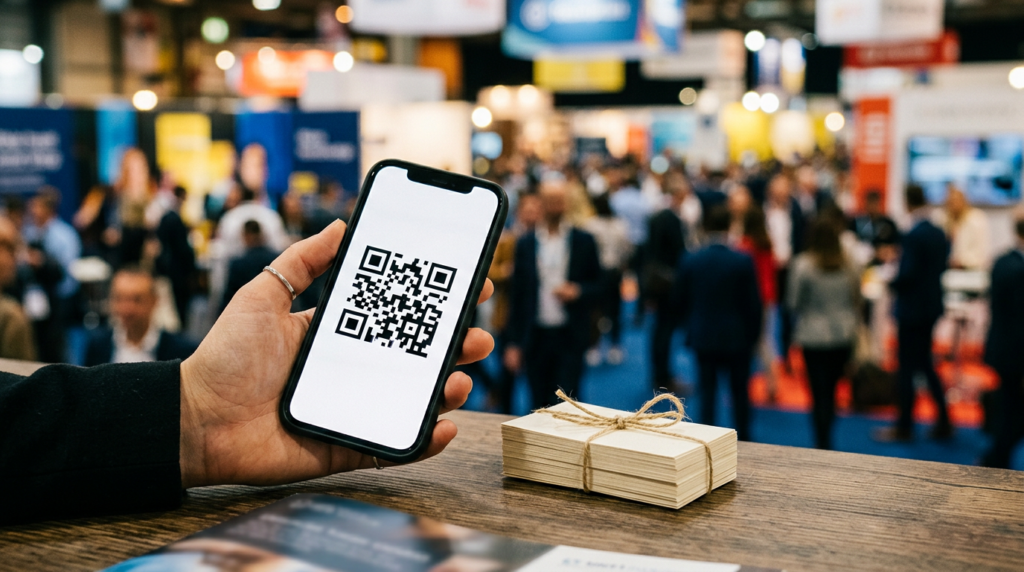
Digital cards are easy to update, hold more information, link directly to your booking page or portfolio and cut waste. They are quick to share with a QR code, which can sit on your phone lock screen, your name tag or a printed sign. Some tools show who opened your card, which can help your follow-up, though you should respect privacy and be transparent about any tracking. They are also a good fit for tech-comfortable audiences and for online events. If you attend virtual meetups, see in-person versus online networking for ideas.
Where Paper Cards Still Win
A paper card is a physical reminder that does not need a phone, a signal or a battery. It suits quick, casual exchanges, older audiences and local trades, and it can carry a handwritten note. Paper cards also work where phones are not welcome, such as formal dinners. Costs are low, and a modest stack lasts a long time. A good design with clear text and a website makes a difference. A card in someone’s wallet can serve as a prompt weeks later, which supports the follow-up habits in how to follow up after a networking event.
Privacy and Security Considerations
If you use a digital card service, review what data it collects and how it handles contact details, and share only what you are comfortable making public. Avoid putting your home address or personal mobile number on any card unless you want it widely known. When you collect other people’s details, use them for the purpose they gave them and follow privacy laws, and CAN-SPAM if you send commercial emails; never add someone to a mailing list without permission, as explained in email marketing tips.
How to Choose
Decide by where you network and who you meet. If most of your contacts are local and meet in person, carry paper and add a QR code that links to your digital page. If your network is mostly online, make your digital card the main tool and keep a few paper cards for surprise meetings. Ask yourself: does the recipient need to do any work to save my details? The easiest path wins. Also think about your brand: a clean, consistent design in both formats builds recognition.
Design Tips That Work for Both
Keep it simple: name, role, business, one phone number, one email and one web address. Use a readable font, good contrast and plenty of white space. Add a QR code with a short, clear label such as ‘Scan to save my details’, and test it on several phones. On paper, leave a blank area for notes. Make sure the website or page you link to loads quickly and works on mobile. Replace outdated cards, and check your digital card monthly for broken links.
Do Not Forget the Follow-Up
A card, digital or paper, is only the start. Many cards are never looked at again. Within 48 hours, send a short message that mentions your conversation, as covered in how to follow up after a networking event. Add the person to your contact list, and note where you met. The strength of your network comes from relationships and the ideas in how to network like a pro, not from the format of your card.
Key Takeaways
- Use both formats: a few paper cards and a digital card.
- Add a QR code to link paper and digital.
- Share only the information you want to be public.
- Keep design simple and test your QR code.
- Follow up within 48 hours.
Frequently Asked Questions
Are digital business cards free?
Some services have free plans and paid upgrades. Check features and terms.
Do people still want paper cards?
Many do, especially at local, in-person events. Offer both.
Can I track who views my digital card?
Some tools offer view analytics. Respect privacy and be transparent where appropriate.
What should be on a business card?
Your name, role, business, one phone, one email and a website. Keep it clean.
Sources
- U.S. Small Business Administration: Market research and competitive analysis
- Harvard Business Review: Learn to Love Networking
- SCORE: free business mentoring
QastMe does not endorse any company. Information is for education only and is not financial or legal advice. Earnings in direct selling vary widely, and most participants earn little or no money. Review each company’s income disclosure statement before deciding.
Stay ahead of the industry. Get the latest network marketing news, company reviews, and lead-generation guides at QastMe.org.
Free: The 2026 Network Marketing Lead Playbook
30 ethical lead sources, a 7-day action plan, and the compliance rules that keep your business safe.
Want leads now? See QastMe lead options.