
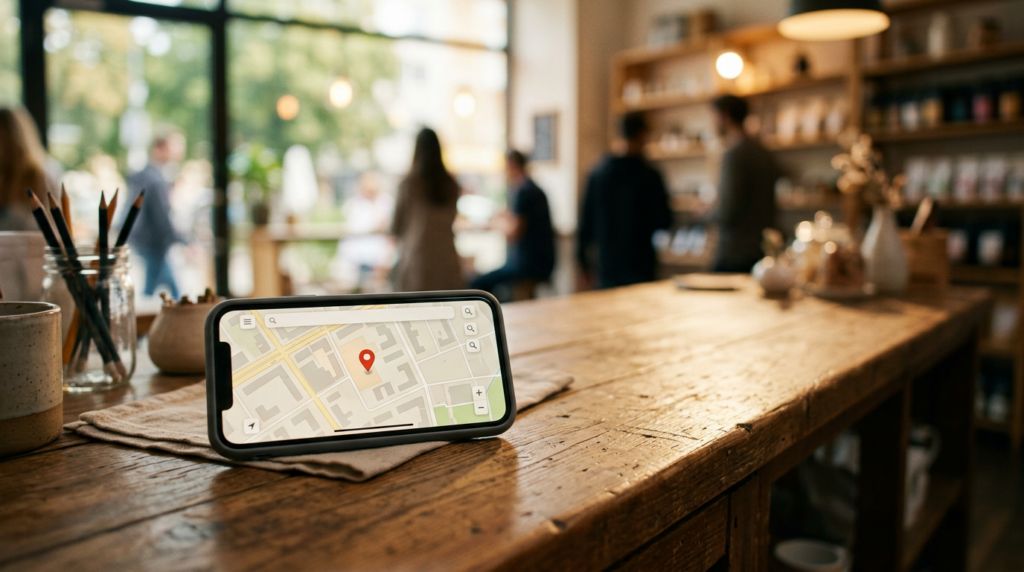
Local SEO Tips to Show Up in Google Maps
These local SEO tips to show up in Google Maps focus on what Google itself says matters: relevance, distance and prominence. You cannot pay for a better local ranking, but you can make your Business Profile complete, accurate and active, and earn the reviews and mentions that signal that you are a well-known choice. Here is a practical checklist for any local business.
Key facts
- Google’s three factors: relevance, distance and prominence (called popularity in some help pages)
- No paid ranking: Google says you cannot request or pay for a better local ranking
- Start: verify your Business Profile and fill in every field
- Reviews: ask for them steadily and reply to all
- Consistency: same name, address and phone everywhere
How Google Decides Who Shows Up
Google Business Profile Help explains that local results are mainly based on relevance, distance and prominence. Relevance is how well your profile matches what someone is searching for. Distance is how far you are from the searcher or from the location named in the search. Prominence is how well known you are, drawing on information such as reviews, links and mentions across the web. Google also states plainly that there is no way to request or pay for a better local ranking. That means the work is to be accurate, complete and genuinely good. If you are brand new to the topic, our overview of small business marketing tips helps you see where local search fits.
Step 1: Claim and Verify Your Profile
Search for your business on Google Maps. If a listing exists, claim it; if not, create one at the Business Profile site. Verify it using the method Google offers, which may be a postcard, phone, email or video. Verification tells Google you are authorized to represent the business and makes it more likely to show up. If you serve customers at their location and do not have a storefront, set a service area and hide your address if you prefer, following the platform’s guidelines.
Step 2: Fill In Every Field Accurately
Complete profiles give Google more to match against searches. Choose the most accurate primary category, since it strongly shapes relevance, and add a few secondary categories where they truly apply. Add your hours, including holiday hours, phone number, website, services with short descriptions, products where relevant and attributes such as wheelchair accessible. Use your real business name as it appears in the real world; stuffing keywords into the name violates Google’s guidelines and can get a listing suspended.
Step 3: Add Real Photos and Posts
Upload clear photos of your exterior, interior, team, products and finished work. Update them regularly. Use the posts feature for offers, events and news. Photos and updates show that the business is active and help customers decide. Keep the quality honest: good natural light and no stock photos. If you use video, short clips of your work or a tour can help.
Step 4: Earn and Answer Reviews
Reviews influence both rankings and customer decisions. Ask happy customers for a review at the moment they are most satisfied, with a short link to your review page. Never offer payment for reviews or review only happy customers through filters, since Google’s policies prohibit fake and incentivized reviews. Reply to every review: thank positive reviewers by name and respond calmly to negative ones with an offer to fix the issue offline. Our guide to how to get customer reviews and testimonials gives scripts.
Step 5: Make Your Website Match Your Profile
Create a page for each main service and each city or neighborhood you serve, with original content: what you do, who you help, photos, prices or ranges where possible and customer examples. Use the same name, address and phone number format as your profile. Embed a map and include clear contact options. Page titles and headings should include the service and location in plain language. Make the site load quickly on a phone.
Step 6: Build Local Prominence
Get listed in respected local directories and industry associations, and keep your details consistent. Join the chamber of commerce, sponsor a local event or collaborate with neighboring businesses, which can earn mentions and links; see chamber of commerce networking. Local press, community blogs and partner websites also add prominence. Focus on quality and relevance rather than quantity.
Track Your Results
The Business Profile dashboard shows how customers find you and what they do next, such as calls, direction requests and website clicks. Check it monthly and record the numbers. Test searches for your main service terms from different areas, remembering that results vary by location. Make one improvement a week from this checklist, and in a few months compare calls and requests with where you started.
Common Local SEO Mistakes
Stuffing keywords into the business name, using a virtual office address that is not a real storefront, creating duplicate listings, buying fake reviews, ignoring negative reviews and letting hours go out of date are the usual errors. Each can lower trust with customers and may violate Google’s guidelines. Review your profile once a month and fix anything that is no longer accurate. Careful, steady maintenance beats clever shortcuts.
A Monthly Local SEO Checklist
Once a month: check your hours and contact details; add three new photos; post one update or offer; reply to any new reviews; ask five happy customers for a review; search your main service terms and see where you appear; and review the profile’s performance numbers for calls and direction requests. Thirty minutes of regular care is usually enough to keep a profile healthy and show Google and customers that your business is active and reliable.
Key Takeaways
- Google says local ranking rests on relevance, distance and prominence.
- Verify and fully complete your Business Profile.
- Use real photos, regular posts and honest reviews.
- Match your website to your profile.
- Track calls, directions and clicks monthly.
Frequently Asked Questions
Can I pay to rank higher in Google Maps?
Google states there is no way to request or pay for a better local ranking in the organic results.
How many reviews do I need?
There is no fixed number. Aim for steady, genuine reviews and reply to each.
Do I need a website for local SEO?
A profile can work without one, but a good website supports relevance and prominence.
How long does it take to see results?
Improvements often take weeks to months, depending on competition.
Sources
QastMe does not endorse any company. Information is for education only and is not financial or legal advice. Earnings in direct selling vary widely, and most participants earn little or no money. Review each company’s income disclosure statement before deciding.
Stay ahead of the industry. Get the latest network marketing news, company reviews, and lead-generation guides at QastMe.org.
Want customers to find you on Google and in AI search? Chris Cartmill’s Geo SEO services help independent and local businesses rank in “near me” and AI answers. Learn more at chrismcartmill.com.
Free: The 2026 Network Marketing Lead Playbook
30 ethical lead sources, a 7-day action plan, and the compliance rules that keep your business safe.
Want leads now? See QastMe lead options.